Designing an end-to-end experience for Stripe Reader S700
Stripe’s S700, launched in 2023, is an Android-based card reader designed for both countertop and handheld use. I partnered directly with Stripe to design the UI for their new flagship hardware, collaborating live throughout the process. The product was unveiled during Stripe’s largest session to date, where I met and worked closely with the card reader team and Stripe’s co-founder to explore future platform directions.
Role
Contract Product Designer
Tools
Figma
Team
1 Designer
1 Engineer
Timeline
2023
Challenge
Designing for a non-traditional hardware device introduced both technical and process challenges. Because the work was done live, I was required to design and iterate on the complete UI/UX in real time while the product was being filmed, collaborating simultaneously with the videographer and marketing team.
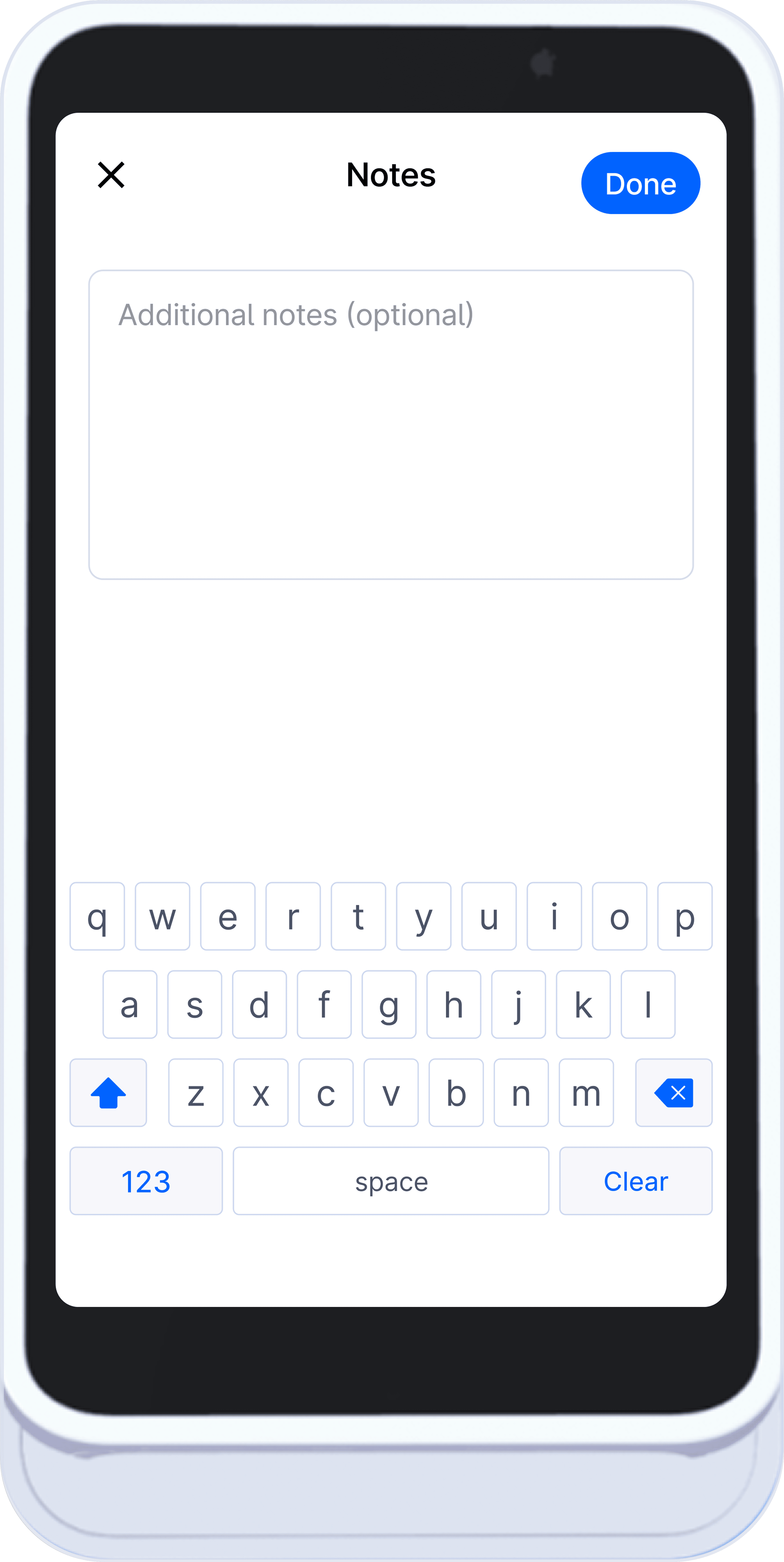
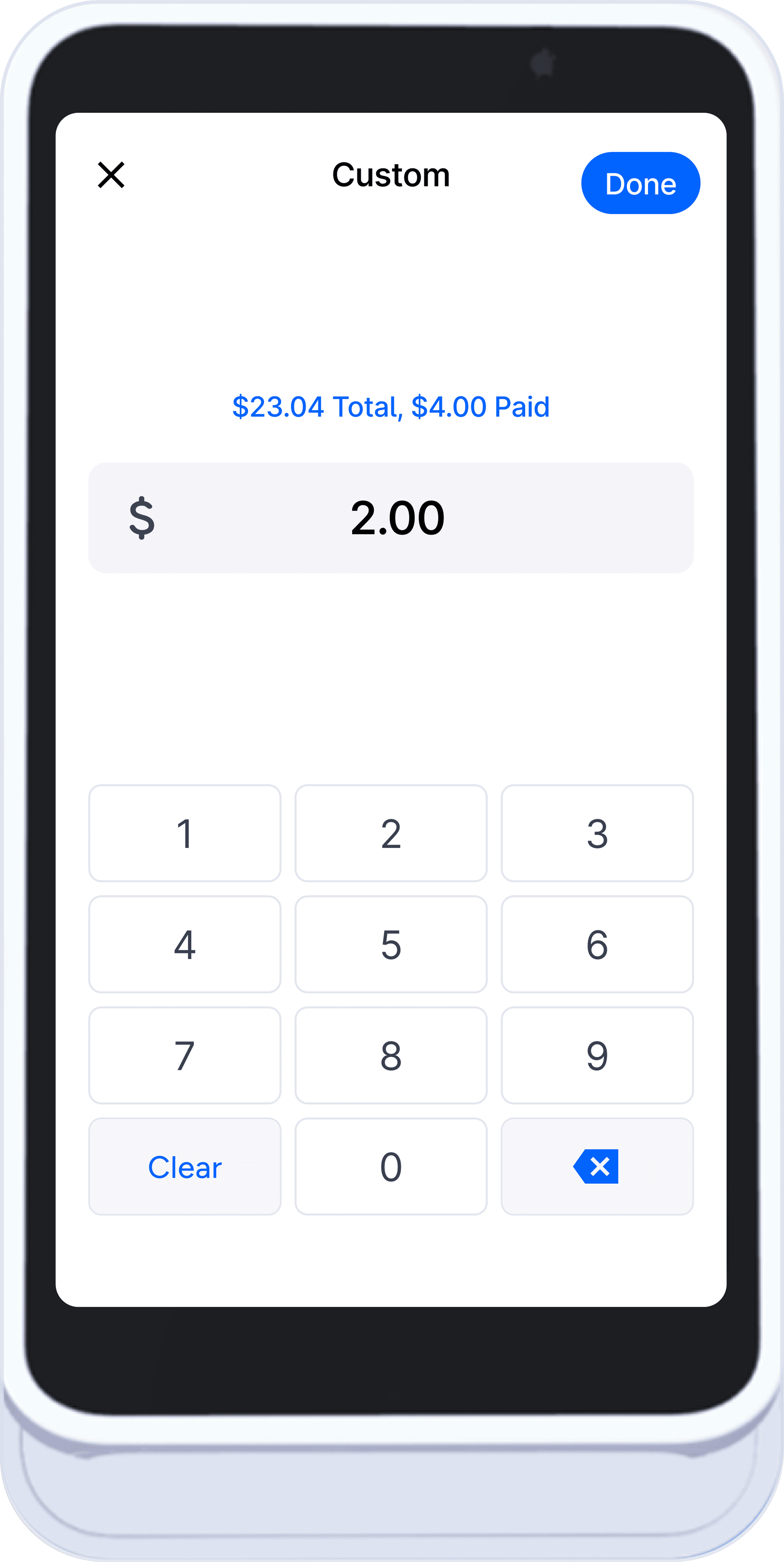
The device required custom interaction patterns, including bespoke keyboards and numeric keypads optimized for speed, accuracy, and accessibility. In addition, I designed a custom status bar and icon system to replace standard Android system UI and ensure visual clarity across all transaction states.
Research
The initial hardware blueprint provided did not accurately reflect the final device dimensions. To ensure precision, I validated the physical and pixel-based measurements independently and created a reliable simulation environment.
I used an iPhone Max–sized display as a stand-in simulator, scaling the interface to match the exact dimensions of the card reader. This allowed me to accurately test touch targets, spacing, and legibility, ensuring the UI met usability and accessibility requirements without introducing friction for users.
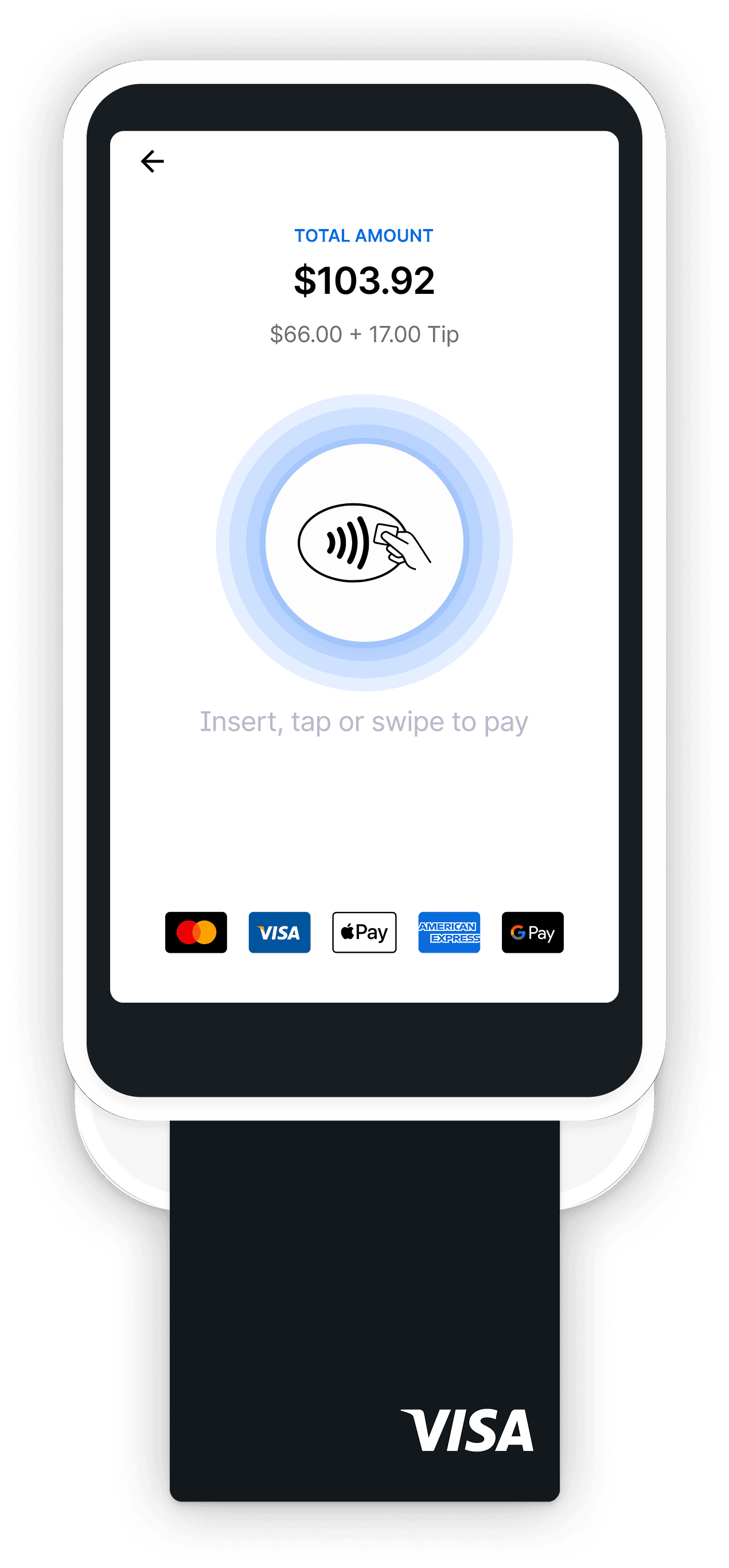
S700 Terminal Checkout Experience
In-person and online payments without the complexity.
The goal was to design a system that stays fast and clear during peak hours, allowing staff to take payments without disrupting the flow of service.
Checkout was intentionally structured around familiar transaction patterns and predictable steps, reducing workarounds when staff are under pressure.

Payment Processing Prototype
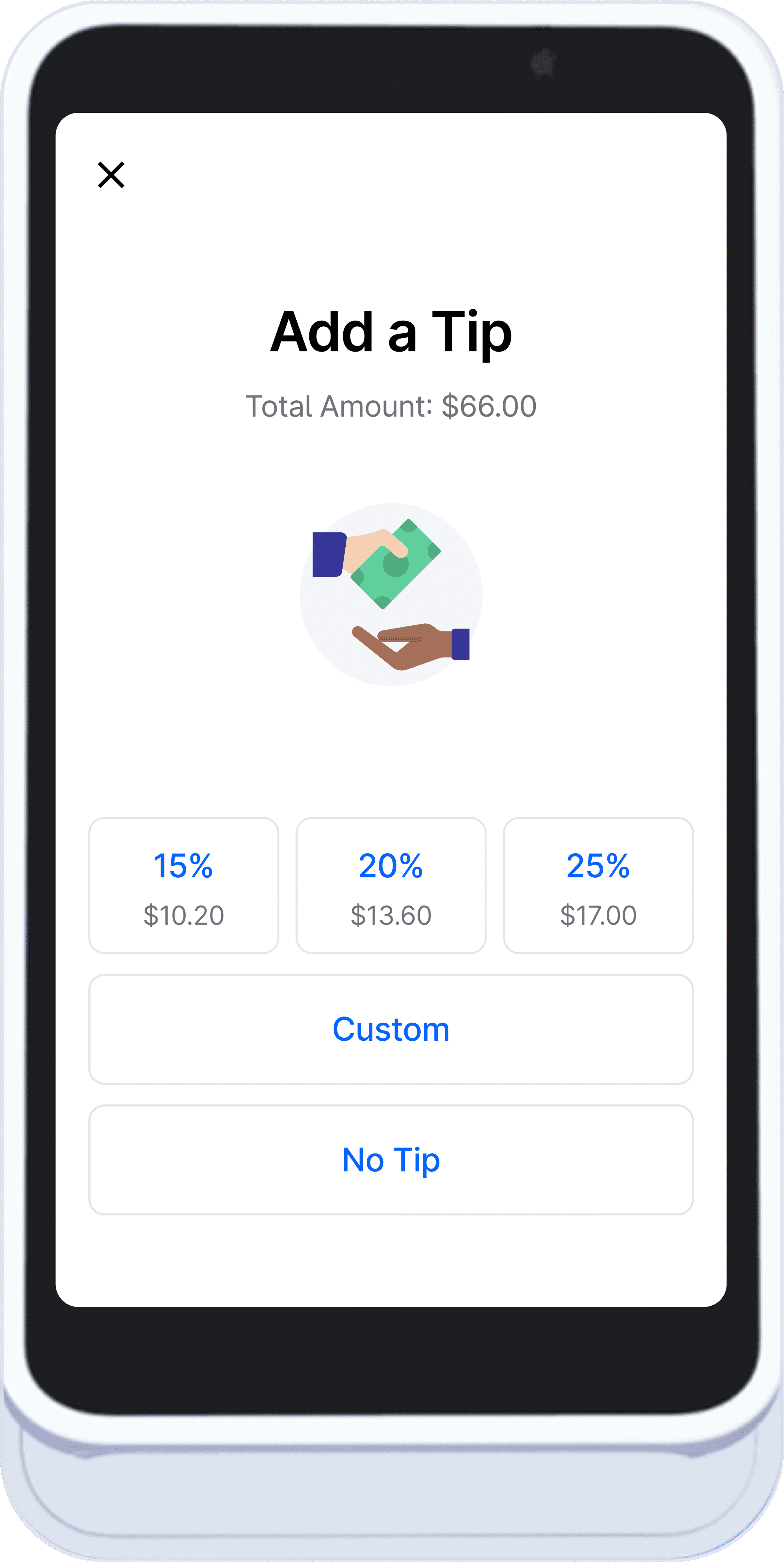
Collect Tips
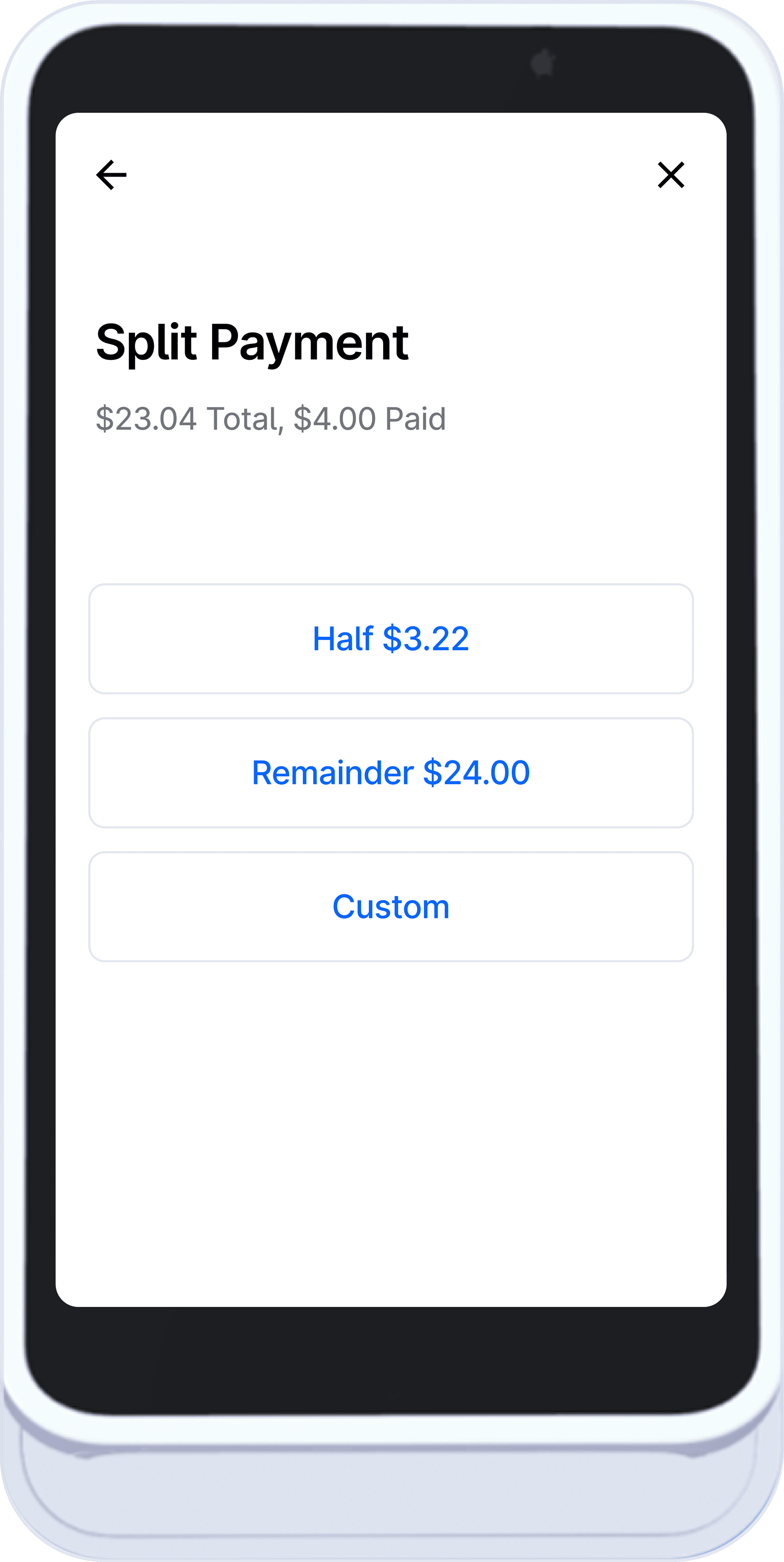
Split Payment Options
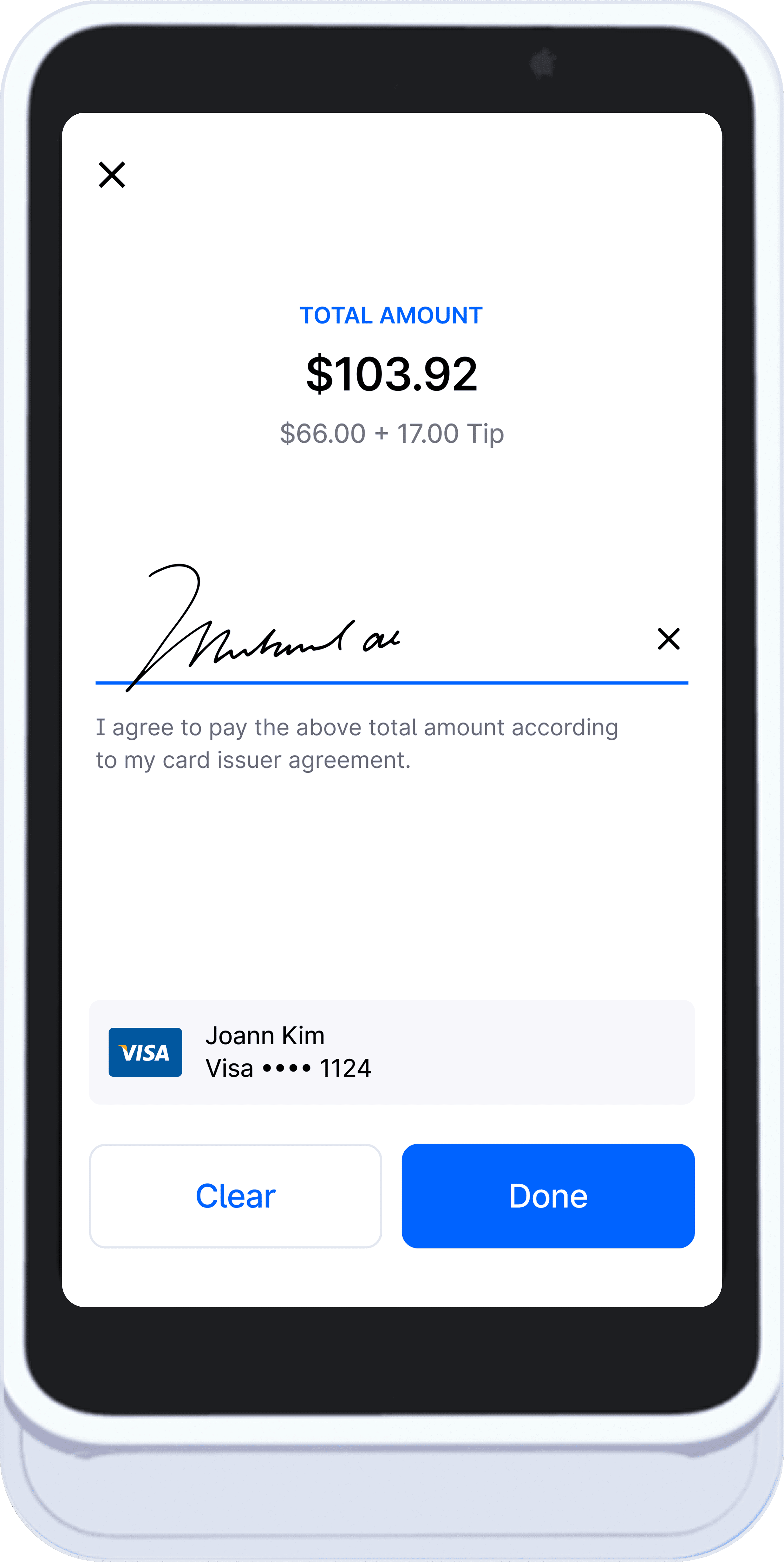
Sign to Confirm
Ticket Management
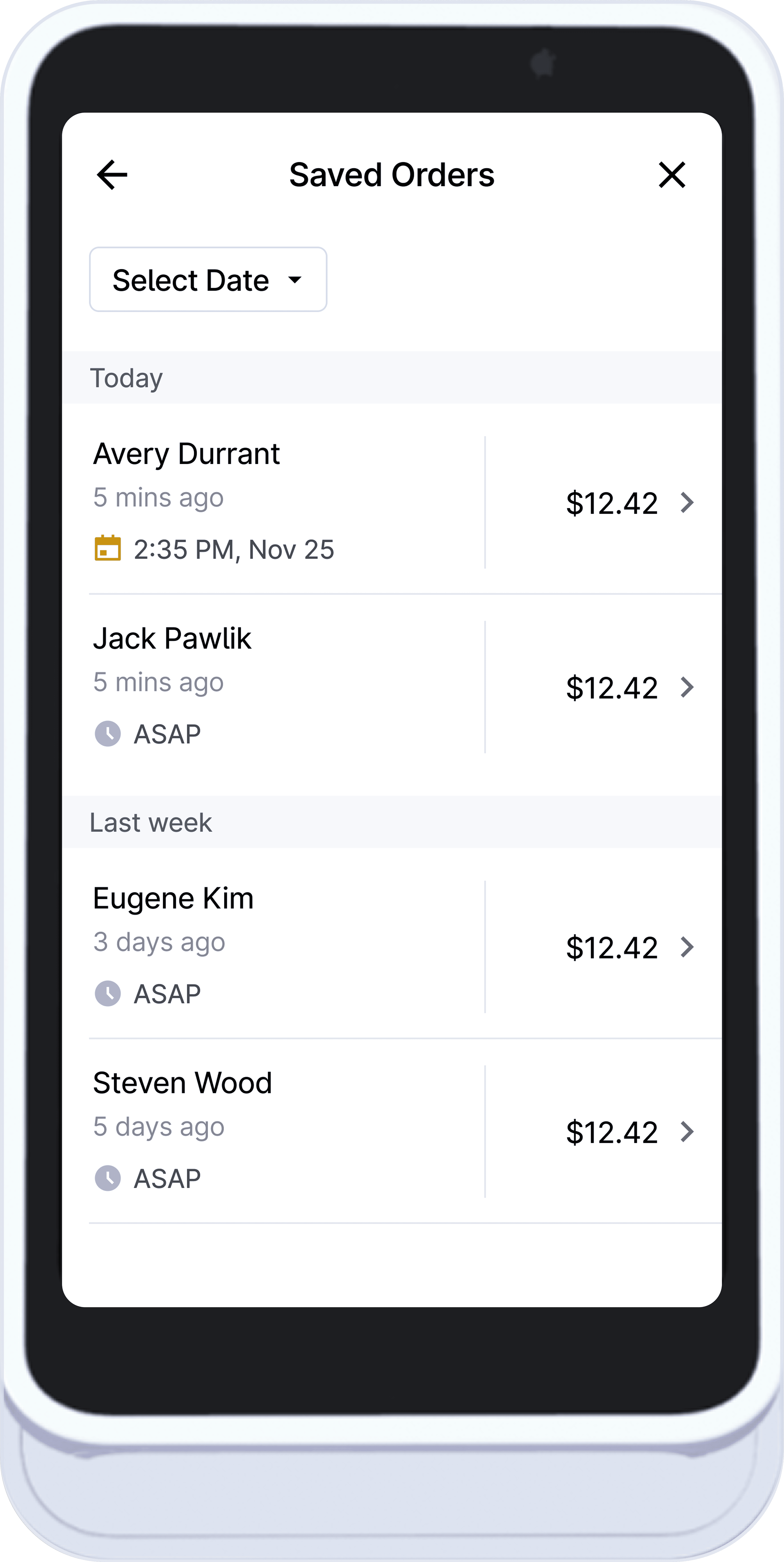
Ticket management built for real-time edits and picking up where you left off.
Staff can create and update tickets as orders change, without losing context.
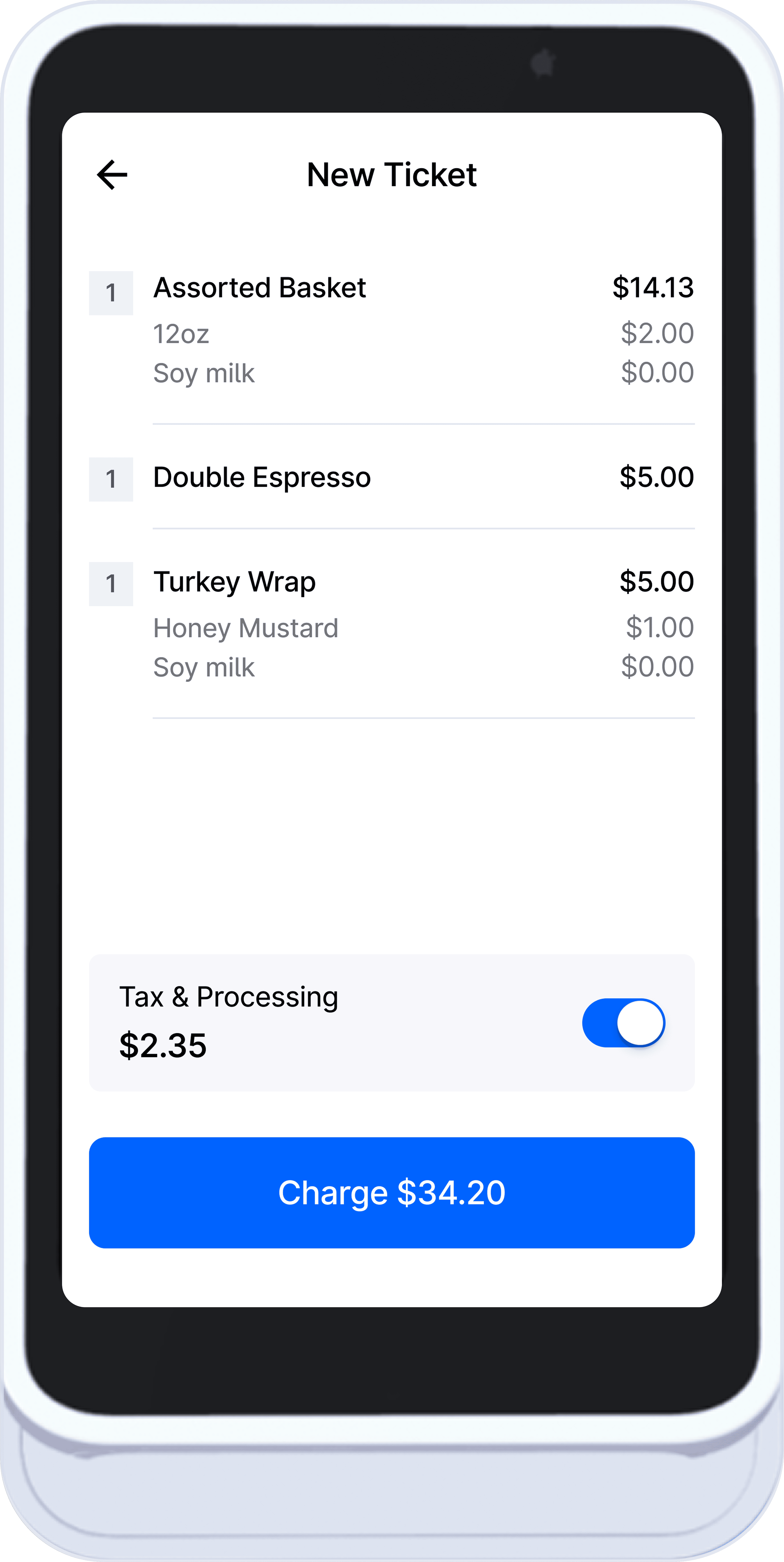
Edge cases: Modifiers/qty changes · Tax/processing toggle · Saved orders and reopen.
Review Order
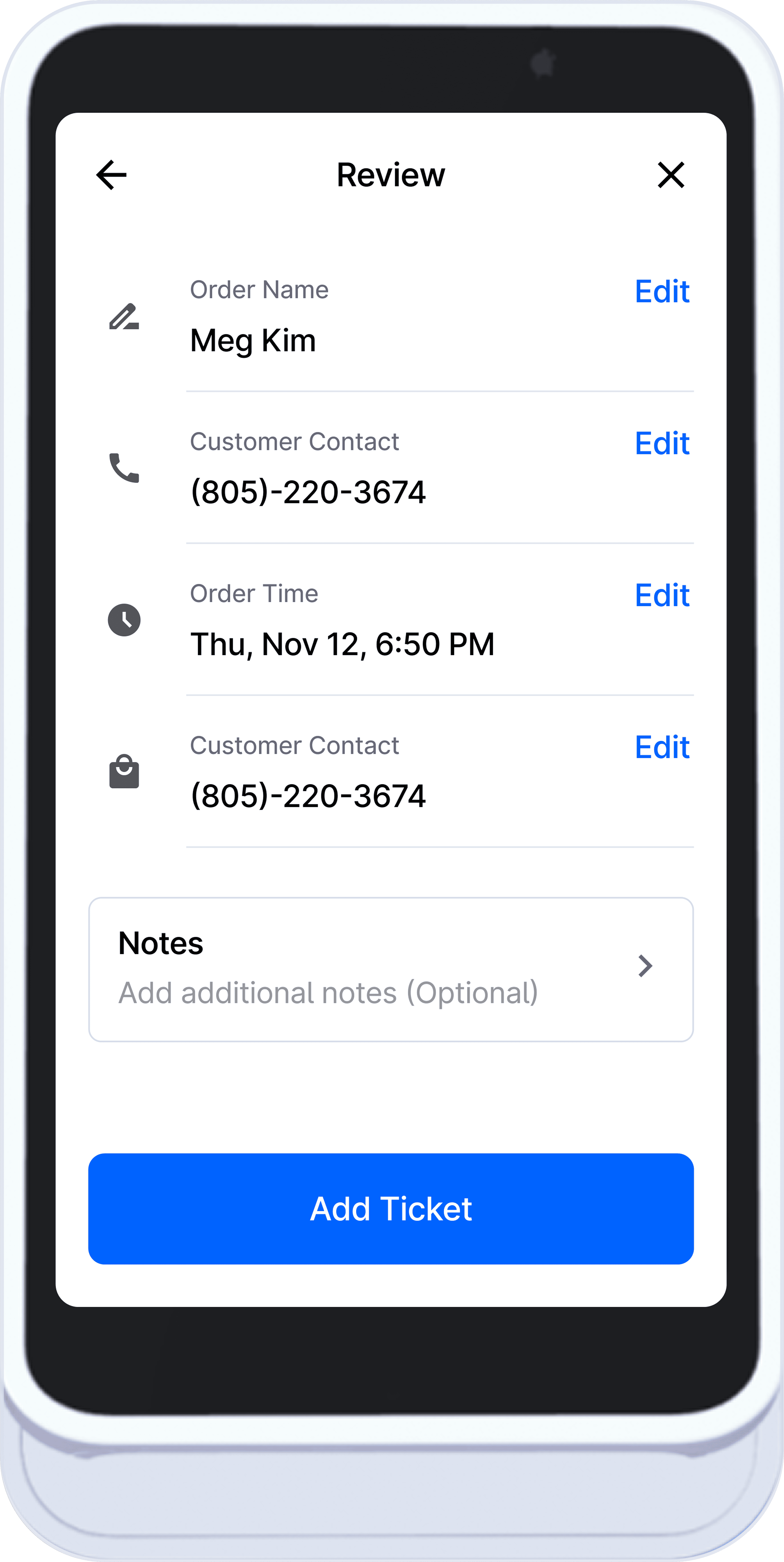
Ticket Details
Saved Orders
S700 Interaction System
Custom-built hardware interactions for speed and accuracy on a fixed terminal.
Since the S700’s dimensions aren’t commonly designed for, I validated the physical and pixel measurements and built a simulator to test touch targets, spacing, and legibility with confidence.
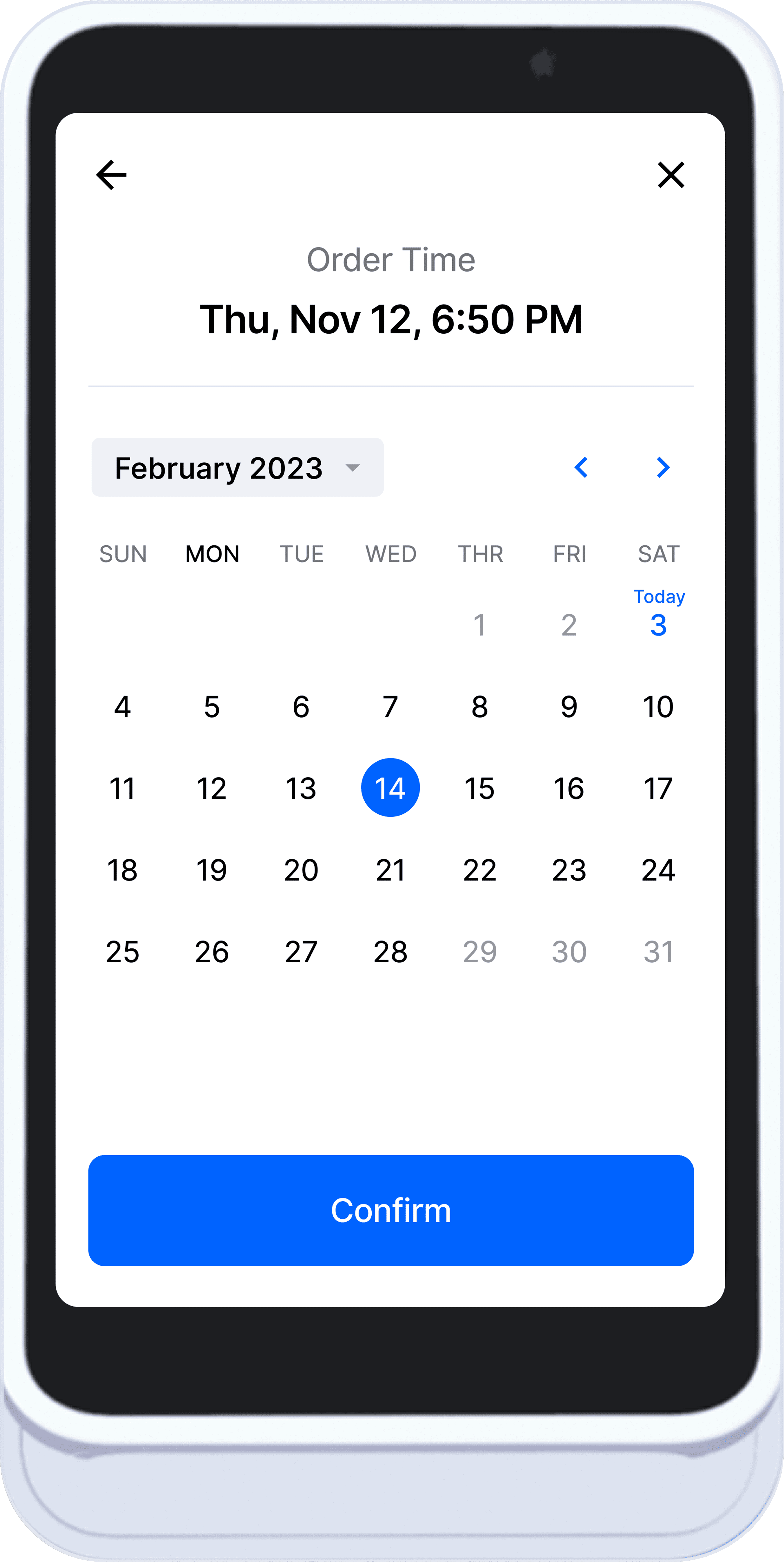
I also designed S700-specific interactive components, including a numeric keypad, time picker, and keyboard, plus a custom status bar and icon system, so key actions feel fast and consistent alongside the iPad POS workflow in a high-throughput environment. The layouts prioritize touch accuracy and readability to reduce mis-taps during peak service.
Designed for: One-hand use · Large touch targets · Low-error input · Fast repetition
Keyboard - Letters
Numeric Keypad
Fixed Date/Time For Pickup Orders
Result
Launched as the flagship UI for Stripe’s S700 card reader, featured during Stripe’s largest session to date.
Became the second most widely used UI across Stripe’s ecosystem, demonstrating scalability beyond a single device.
Reduced NAM downtime by improving transaction clarity, error recovery, and system-state visibility.
Delivered a production-ready UI under live, high-visibility constraints without compromising usability or accessibility.
Established a reusable hardware UI framework adopted across future Stripe card reader experiences.
Official promotional video © 2023 Dripos / Stripe.
My role: Product Designer (sole designer responsible for the interface design)


Action Bar
Dynamic
06
24
Image Expand
Overlay
05
13
Read Time
Scroll
04
09